Users
You can easily add and manage users within the "Users" tab in the platform.
Add a new user
-
Navigate to the "Users" menu item --> https://app.extract.to/users
-
In the top right corner, click the "Add" button.
-
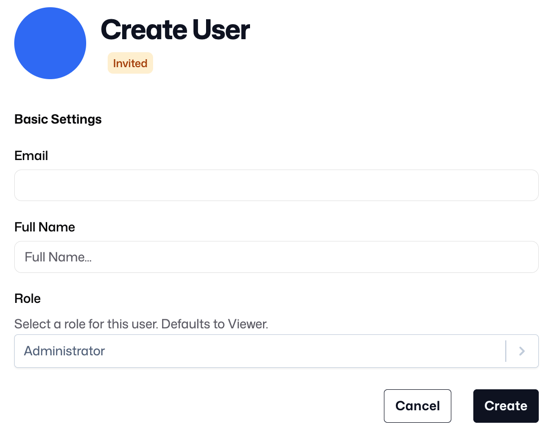
Fill in the user's full name and email address
-
Define the user's role (see below on RBAC)
-
Click "Create"
-
Upon clicking create, an email invitation will be sent automatically. Alternatively, you can send the new user the invite link displayed on the screen.
Edit an existing user
In the users table, click the "edit" button for the relevant user. Here, you can configure the following settings:
-
User's name
-
Disable/Enable the user's access to the account's dashboard
-
Modify a user's role, see below on RBAC
Role-Based Access Control (RBAC)
Assign user privileges by navigating to "Account Settings-->Roles" https://app.extract.to/roles . Extract provides 4 different Account Level roles to ensure users have the proper level of access based on their scope of work and responsibilities:
| Role | Description |
|---|---|
| Administrator | SSO Administrator, Add/Remove Users, Billing Create, View & Edit sources, destinations and connections. |
| Billing | View usage, View & Edit billing information. |
| Creator | Create, View & Edit sources, destinations and connections. |
| Viewer | View & Edit sources, destinations and connections. |