Mistplay Audiences
Overview
The Mistplay Audiences destination allows you to sync audience data to Mistplay for user suppression and targeting. Device identifiers are automatically hashed (SHA256) before upload.
Setup Guide
This destination uses pre-configured credentials managed by the platform - no additional authentication setup is required on your part.
Your account name is used to derive the game studio identifier, formatted as game_studio_name:account_name. The account name must be lowercase and separated by underscores (e.g., my_game_studio). It is critical to verify with your Mistplay account team that your game studio name is configured correctly.
If you need to override the default game studio name, please contact us.
Stream Parameters
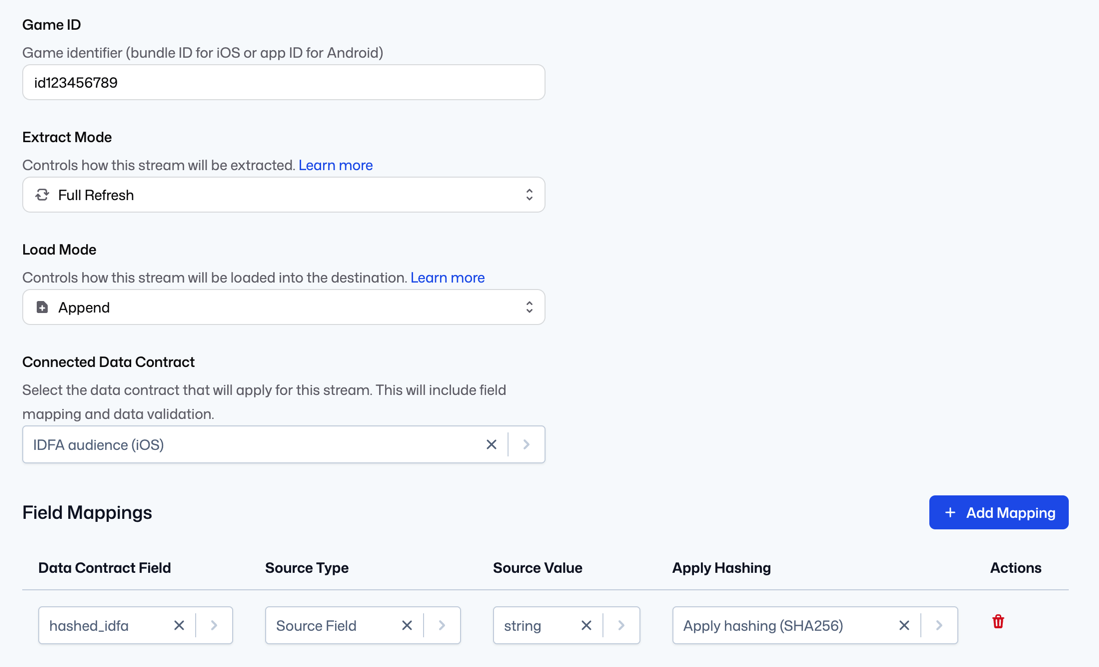
Each stream requires the following parameter:
| Parameter | Required | Description |
|---|---|---|
game_id | Yes | The unique identifier for your game in Mistplay. This should include the "id" prefix; for example "id123456789" |
How It Works
- Your account name is used to determine the game studio identifier
- Audience data is uploaded to Mistplay's S3 bucket as CSV files
- Device IDs (GAID or IDFA) are automatically lowercased and SHA256-hashed before upload
- Only records marked as "Added" are included - removed records are filtered out
Output Format
Files are uploaded in CSV format with a single column header matching the identifier type (hashed_gaid or hashed_idfa), followed by the hashed device IDs.
Data Contracts
Choose the appropriate data contract based on your target platform:
GAID Audience (Android)
Use this data contract for Android audiences. Requires the Google Advertising ID (GAID) for each user.
IDFA Audience (iOS)
Use this data contract for iOS audiences. Requires the Apple Identifier for Advertisers (IDFA) for each user.