Singular User Level
The Singular User Level connector extracts user-level data from Singular's attribution and analytics platform: Singular User-Level Data. This connector provides access to granular user-level data including attributions, in-app events, clicks, impressions, postbacks, and SKAdNetwork data.
The data is stored in Apache Iceberg tables backed by Parquet files, enabling efficient incremental extraction of large-scale attribution datasets for marketing analytics and attribution modeling.
Singular Migrated Users:
Customers previously utilizing Singular's native ETL (Data Destinations), will automatically have their "Singular User-Level" sources created and automatically synced to the previously configured destinations. No additional configuration is required.
Plans and Pricing:
-
Standard Data streams include Events, Attributions, & SKAN Postbacks. These data streams to internal datawarehouse solutions are included in paid Singular MMP plans and will be reflected in Extract as "Singular Credits". Duplications of events and attribution streams will be subject to Extract's standard ETL pricing and reflected as "Extract Credits".
-
Advanced Data are any other non-Standard stream (impressions, clicks, fraud logs, etc.) and will be subject to Extract's standard ETL pricing. Exceptions apply to data streams migrated from an existing configuration within Singular.
-
Organizations using Singular's Free MMP tier, will be subject to Extract's standard ETL pricing.
Authentication
Provide your Singular Partner Config API key in the connector configuration.
During authentication, we verify the key by calling the partner_config_changes endpoint using the API key as a query parameter.
When running syncs, the connector may call one of two endpoints depending on the selected stream:
partner_config: uses the API key in theAuthorizationheader.partner_config_changes: uses the API key as a query parameter.
Source Setup Guide
To connect Singular User Level to Extract, you will need to provide a Singular Reporting API Key.
You can obtain your API Key from Singular by following these steps:
- Log in to your Singular account.
- Navigate to Developer Tools → Reporting API Keys: https://app.singular.net/#/react/api
- Generate or locate your Singular Reporting API Key.
- In Extract, paste the key into the API Key field when creating the Singular User Level source: https://app.extract.to/sources/new/Singular%20User%20Level.
For more details, refer to the Singular Reporting API Reference.
Connection Setup Guide
Once you connected Singular User Level to a destination, you will also need to configure:
-
Connection Pull Schedule: Determines how frequently data is extracted from the source. We recommend either Hourly or a Custom schedule based on each hour. Below represents 20min after each hour

-
Destination specific settings: Different settings such as "Dataset Name" or "Target Schema" (depending on your destination)
-
Schema Migration Policy: Controls how Extract will handle schema changes from the source. We recommend enabling the "Add New Fields" option.
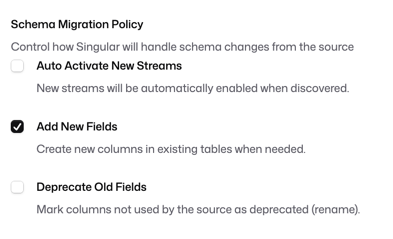
Configuration
To configure the Singular (User Level) source, you’ll need a Singular API key.
- A valid Singular API key with access to the User Level reporting endpoints.
Configuration options
| Field | Type | Required | Description |
|---|---|---|---|
api_key | string | Yes | Your Singular API key used to authenticate requests to the Singular API. |
Authentication / verification
When you save the configuration, we verify the API key by making a request to the Singular API. If the key is invalid or lacks access, the connection test will fail.
Schema ERD
Explore the interactive entity relationship diagram for Singular User Level.
Data Streams
Singular core offering provides complete log-level data for all attributions and events tracked by Singular MMP. Advanced streams listed below are also available based on your subscription--you are able to trial any of these streams and our account team will reach out to discuss options to incorporate these streams into to your plan.
Stream concurrency
This connector syncs streams sequentially (maximum stream concurrency is 1). If you select multiple streams in a single connection, Extract will process them one at a time.